FRAWL
Unreal
C++
Blueprints
Github
Steamworks SDK
Blender
Zbrush
Technical Achievements
Gameplay Messaging Subsystem
The Communication Problem
Throughout development, a recurring concern was how Unreal Engine handles communication between classes. The three primary methods are:
- Direct communication: Hard-referencing a class and accessing its members.
- Interface message calls: Calling an interface on an actor without knowing its concrete class.
- Event dispatchers: Binding listeners to a delegate broadcast by another class.
Each method is useful in the right context, but each also creates different trade-offs. As I implemented the core systems and match flow, managing communication between numerous classes became increasingly rigid and difficult to control.
Choosing The Pattern
For example, announcing that a match has started could require hard-referencing every relevant class, calling an interface on every nonspecific actor, or gathering references to a broadcasting class and binding each listener to its dispatcher.
All three approaches can work, but they do not suit the long-term management of this project. The goal was not to reject these patterns as bad practice, but to avoid coupling the system so tightly that future design iteration became difficult. The classic Observer Pattern was also unsuitable because its one-to-many relationship still relied on loose coupling between the participating classes.
Gameplay Message Subsystem
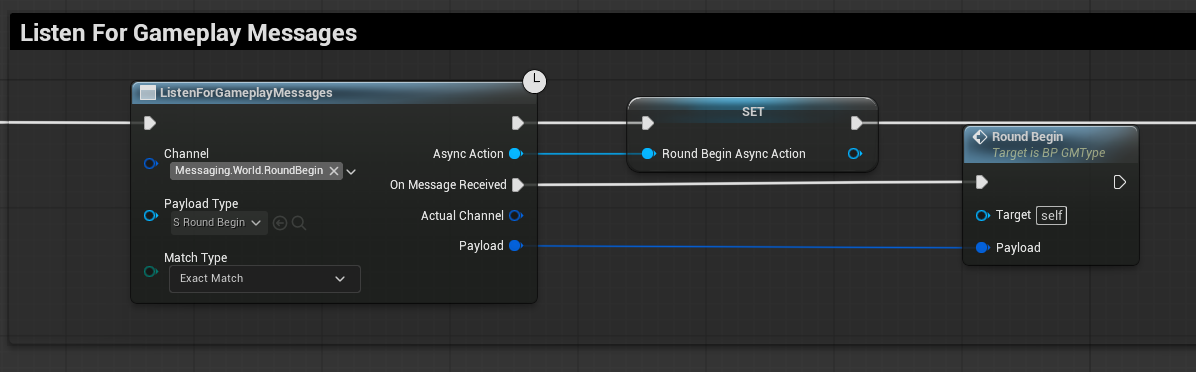
I chose a system that blends the Publish-Subscribe Pattern with the Event Aggregator Pattern. The Gameplay Message Subsystem is an external plugin built by Epic Games that uses channel-based messaging: the broadcaster and listener do not need to know about one another.
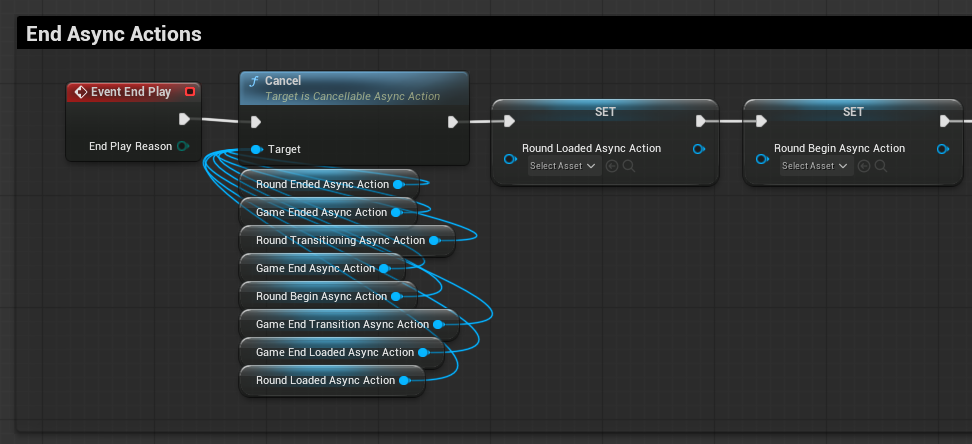
A listener subscribes to a channel and receives an asynchronous event when the subsystem processes a message with a matching channel. This removes the hard reference required by event dispatchers and provides a more flexible way to announce changes across the project.
World Messages
I identified areas that could be separated from dispatcher- and interface-based communication and categorised them as World Messages:
- OnLevelLoaded
- OnGameStarted
- OnRoundTransitioning
- OnRoundStart
- OnRoundEnd
These events may need to notify many classes when a change occurs, so decoupling them strengthened the project and leaves room to expand the message set without creating a fixed destination for every broadcast.
Trade-offs
The system makes communication more flexible, but channel-tag management and event tracing become harder to debug. Unreal Engine's Reference Viewer helps locate classes that reference a message channel tag, allowing me to work back through the call stack when needed.
Level Streaming Solution
The Challenge
My approach to handling level transitions was designed to be simple, efficient, and fitting for the needs of FRAWL.
Because FRAWL contains many arena-based maps, keeping every arena loaded in one level was not practical. Loading each level as a completely standalone instance would also have created problems for planned features, including seamless UI transitions, persistent data, and different game mode variations.
Prototype Solution
I implemented level streaming to unload the current level and load the target level when a transition occurred. This provided a suitable foundation for the project while keeping the transition system separate from the individual arena maps.
Reliability Improvements
After the initial prototype was working, I expanded the system with safeguards and quality-of-life improvements:
- Repeat-map filtering to avoid selecting the same arena repeatedly.
- Escalatory selection logic that gives map choices a generation limit before falling back to another option.
- Asynchronous handling so other systems can wait for a level transition to complete safely.
Integration With GMS
I connected the asynchronous level streaming process to the Gameplay Message Subsystem. This allowed other classes to respond to transition events without creating direct dependencies on the level streaming implementation.
Result
The result was a robust and reusable solution that streamlined level transitions while remaining decoupled from the rest of FRAWL. This is an approach I intend to carry into future projects.
Blueprint Function Libraries
Why Use Function Libraries?
Blueprint Function Libraries provide a central place for heavily reused functions that need to be accessed by many classes. They are a practical way to keep common functionality consistent across the project.
Reducing Coupling And Repetition
Centralising these functions reduces hard references and prevents the same logic from being copied throughout the codebase. Each use points back to one implementation, which also makes debugging through the call stack easier.
FRAWL Utility Functions
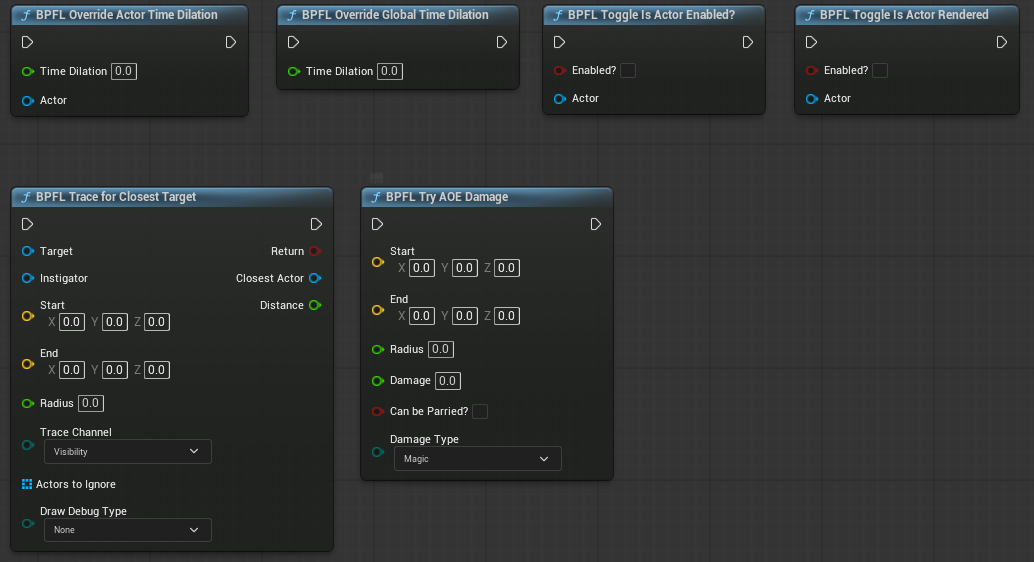
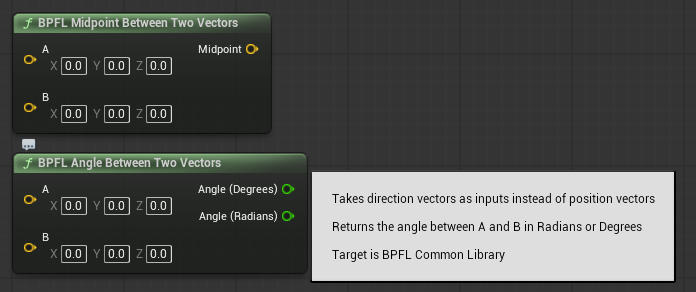
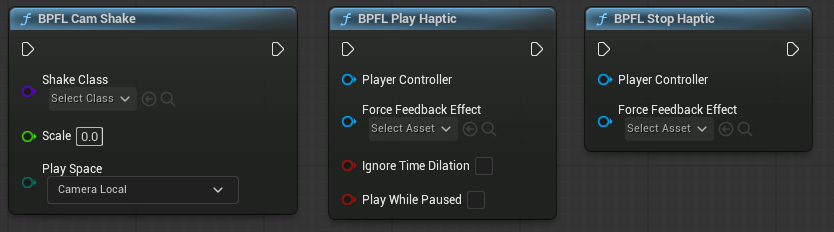
Throughout FRAWL, I built reusable functions for tasks that appeared repeatedly during development:
- Tracing for gameplay targets.
- Vector operations.
- Haptic feedback handling.
- Common player-related operations.
C++ Functions Exposed To Blueprint
I also created a small library of global C++ functions and exposed them to Blueprint. These included checking whether the application had foreground focus and interacting with the engine's PSO precaching system.
Result
BPFLs made repeated tasks more efficient to implement and easier to maintain. They also gave me a consistent place to improve shared functionality without tracking down multiple copied versions across the project.
Blueprint Macro Libraries
Why Use Macro Libraries?
Blueprint Macro Libraries provide a similar reuse benefit to Blueprint Function Libraries, allowing repeated logic to be centralised instead of copied throughout the project.
When Macros Are Useful
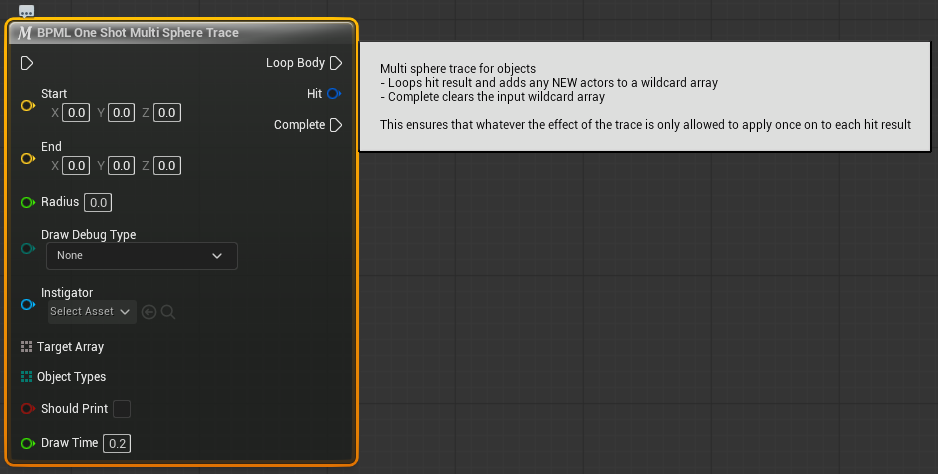
I used BPMLs when the logic needed capabilities that could not be contained cleanly inside a standard function:
- Multiple execution output pins.
- Asynchronous events and completion paths.
- Reusable flows that need to expose more than one outcome to the calling Blueprint.
Asynchronous Soft Loading
A key example was loading soft actor references asynchronously. The macro could contain the loading process and its failsafe paths in one reusable graph, avoiding the need to rewrite the same handling every time an actor needed to be loaded.
Because soft actor loading was used frequently throughout the project, this approach kept the implementation consistent and made the asynchronous flow easier to reuse.
Macro Examples
- One-shot multi-trace logic.
- Soft class loading with reusable completion and failure paths.
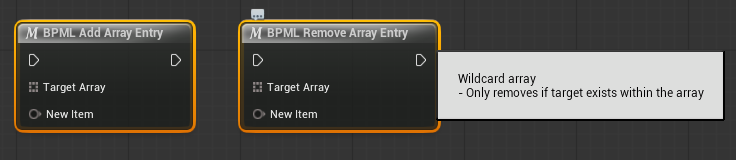
- Wildcard array operations.
Result
BPMLs gave complex Blueprint flows a reusable structure while preserving the execution paths needed by asynchronous and multi-outcome operations.

Data-Driven Ability System - Designer Friendly
System Evolution
FRAWL's ability system went through several implementations during development. It began as a systems-heavy melee component with a roguelike-style stat handler, then became a shotgun system with special-ammo pickups and inventory-style ammo management.
After those design pivots, the system settled into the version used in the final Steam build. The architecture was kept modular so the underlying ability workflow could survive changes to the game design.
Core Architecture
The final system was divided into three primary parts:
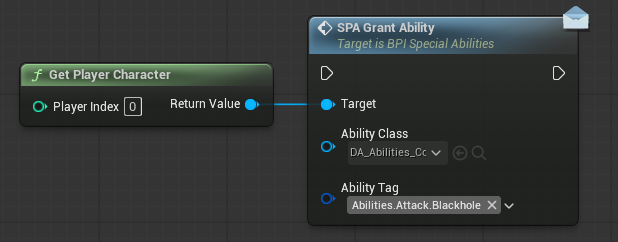
- Ability component: Handles gameplay tag tracking, cooldowns, ability overrides, usage, and disposal.
- Abstract ability class: Communicates with the player and passes the corresponding ability data into the ability implementation.
- Player interface events: Respond to an ability being called or used by the player.
Data-Driven Authoring
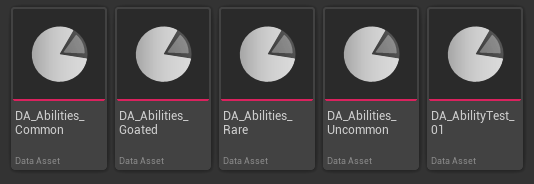
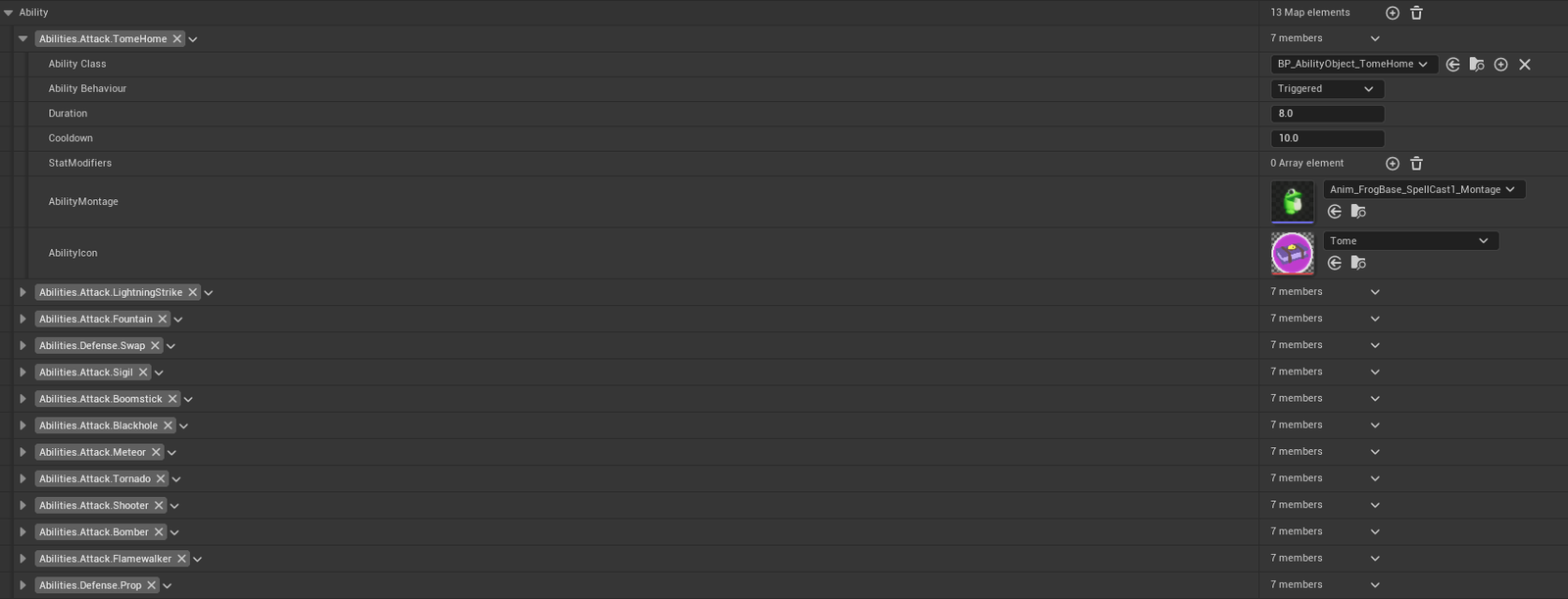
Each ability was identified by a unique gameplay tag. Its associated data was stored in tiered Primary Data Assets, allowing abilities to be spawned through a weighted tier system rather than being hardcoded into individual Blueprint graphs.
This meant a designer could create a new ability class, define its data, and make it functional with very little additional Blueprint interaction.
Design Inspiration
The system was inspired by Unreal Engine's Gameplay Ability System, but implemented at a smaller scale. GAS would have been more complexity than this project needed, so this approach kept the useful modular and data-driven principles without overengineering the feature.
Result
The final architecture gave FRAWL a flexible ability workflow that could adapt to design changes while remaining approachable for designers to extend.
Data-Driven Cosmetic / Procedural Name System
System Overview
FRAWL's cosmetic and weapon system was one of my favourite implementations during development. It was my first attempt at building a cosmetic system, and although there are areas I would change with more experience, I was very happy with the final result.
Data-Driven Structure
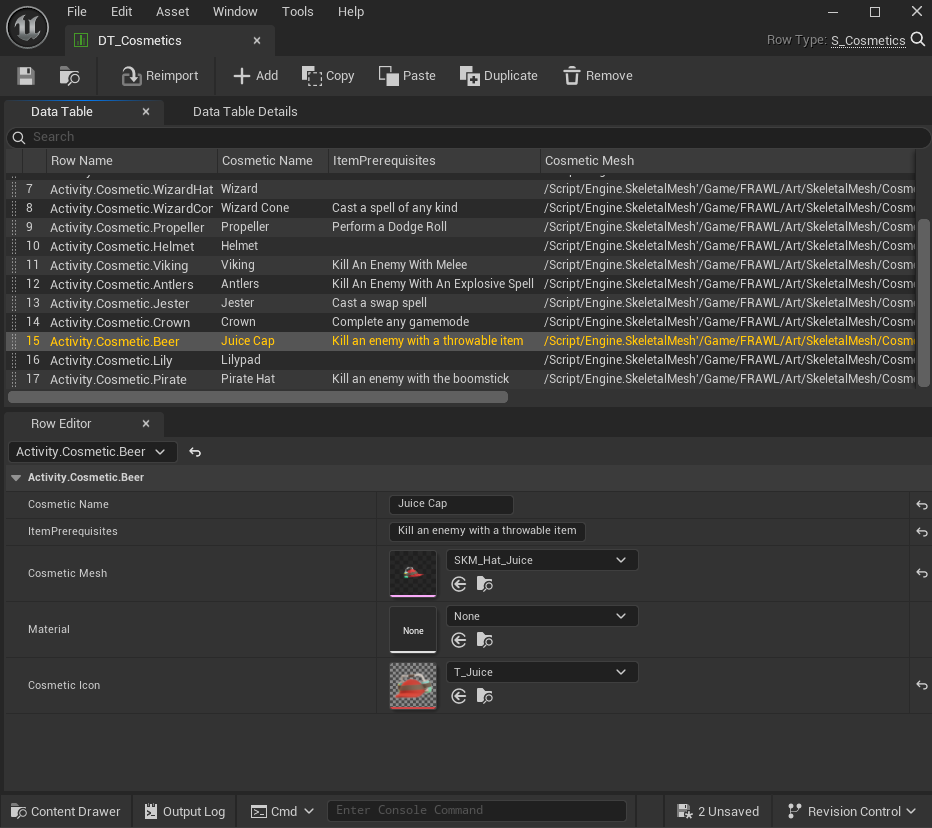
The system used a data-driven approach built from Structures stored in Data Tables rather than Primary Data Assets. This gave the team a central place to define cosmetic items and allowed the runtime system to remain dynamic.
Gameplay Tags And Unlocks
Each cosmetic item used a Gameplay Tag as its identifier, such as Activity.Cosmetic.Helmet. Every data row contained an ID, a player-facing cosmetic name, and a prerequisite string that could be used to connect achievements with cosmetic unlocks.
The weapon system used the same implementation, so the examples below focus on cosmetics while still representing the broader item workflow.
Player And UI Communication
The player held a Static Mesh Component that was updated from the selected Data Table row. The Gameplay Message Subsystem communicated changes between the UI and player so the selected cosmetic was shown correctly in both places.
Procedural Names
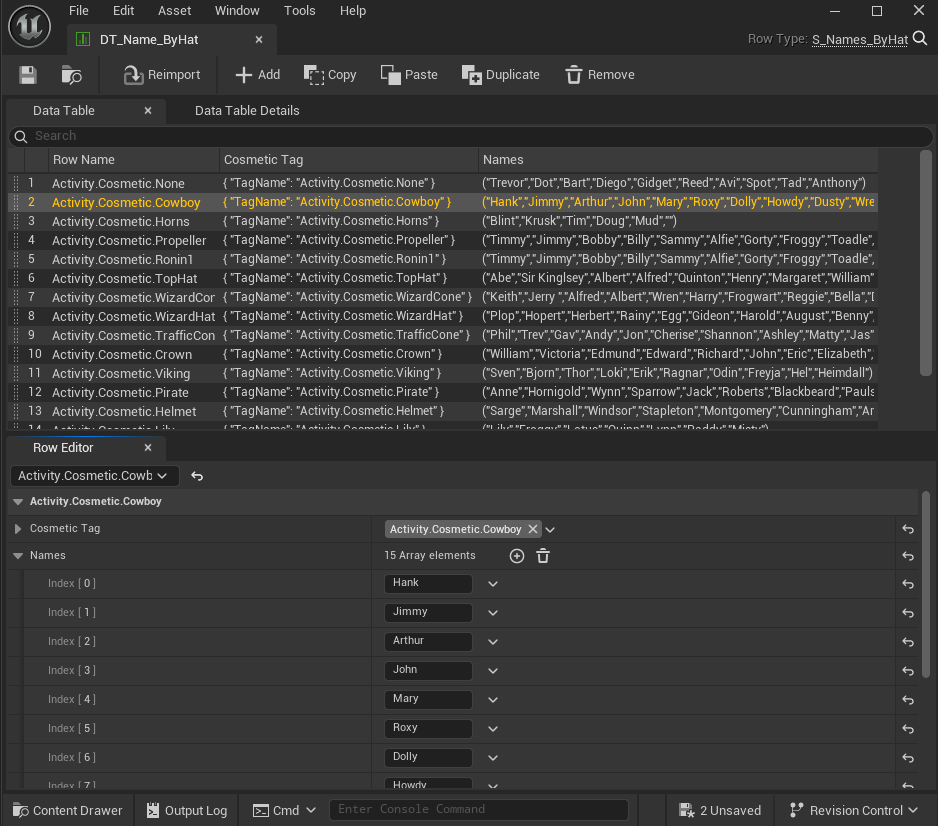
I also created a procedural naming system that combined cosmetic and player colour data from the table rows. Hat data supplied the first name and colour data supplied the second, producing a new name whenever the player's appearance changed.
The generated names became popular with playtesters and the team, so the feature was kept as part of the final experience.
Designer Workflow
Because the system was data-driven, artists could add new cosmetic items directly through the Data Tables without needing to modify Blueprint graphs. The dynamic implementation made it faster to expand the available cosmetics while keeping the runtime logic unchanged.
Result
The final system provided a flexible foundation for cosmetics, weapons, unlock requirements, and procedural names while keeping content creation approachable for the wider team.
Steam Achievement Handling
Gameplay Tag Foundation
Steam achievement handling in Unreal Engine is straightforward to implement, but I wanted to keep the same Gameplay Tag workflow used throughout the rest of the project. Gameplay Tags provided a global, consistent way to identify achievements and request them from any system that needed to unlock one.
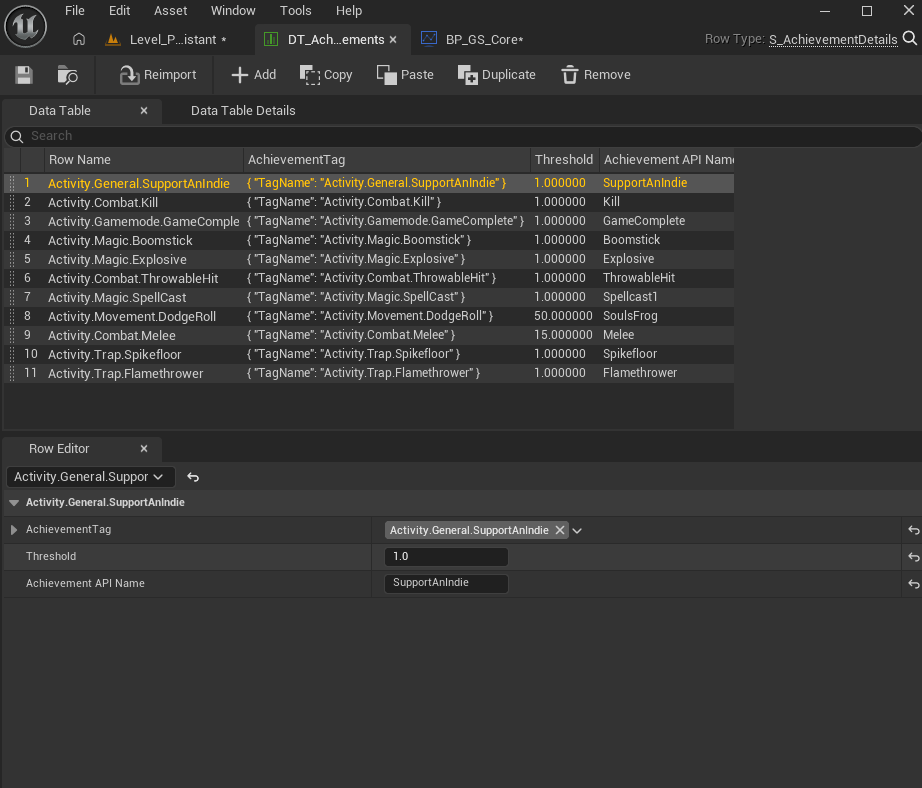
Achievement Data Table
After the first implementation, manually converting tags to strings and entering matching names in Steam and the configuration files became repetitive and error-prone. I created a utility Data Table to hold the information required for each achievement:
- Gameplay Tag identifier.
- Steam API name.
- Unlock threshold.
Lookup And Unlock Flow
A global helper function queries the Data Table and returns the matching achievement as a struct. That struct can then be passed directly into the Write Achievements node, keeping the lookup and Steam-specific data in one place.
Decoupling Internal And Steam Names
This approach separates the Gameplay Tags used inside the engine from the achievement names required by Steam. For example, the internal tag Activity.General.SupportAnIndie can resolve to the Steam API name SupportAnIndie without requiring every caller to know about the external naming convention.
Result
This quality-of-life layer reduced production time and helped prevent user-input errors, especially when other team members were adding or implementing achievements.

Size Maps
Why Profile Size Maps?
Unreal Engine provides many optimisation tools, but projects can become bloated and slow as systems accumulate references. I used Size Maps as part of an ongoing process for monitoring hard references and identifying unnecessary memory overhead.
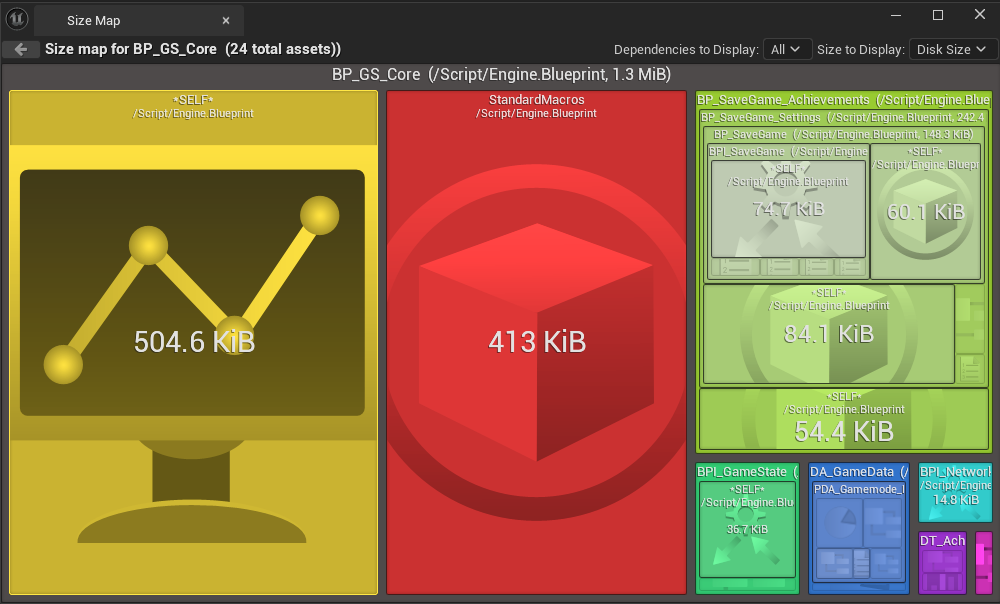
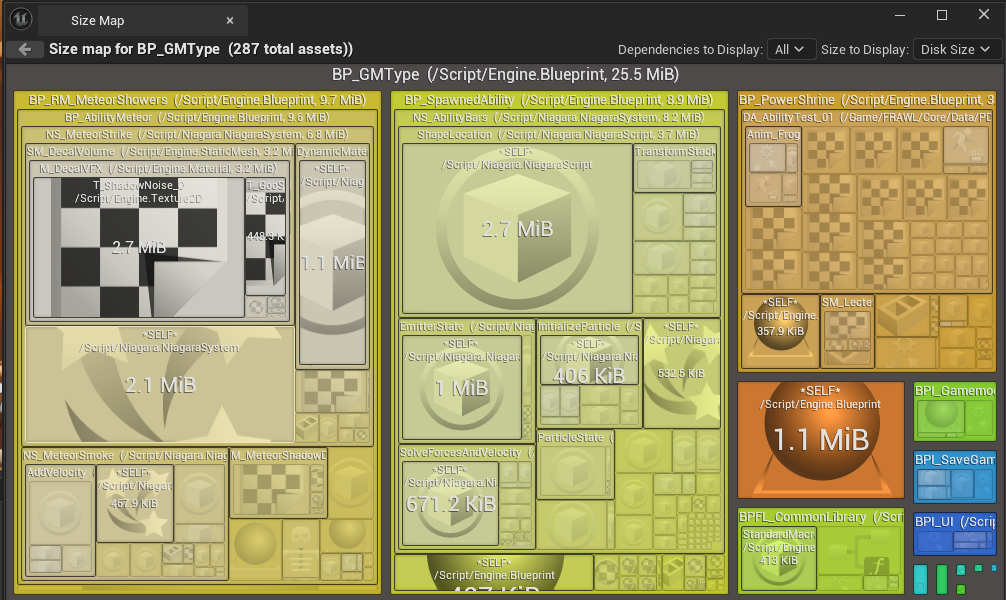
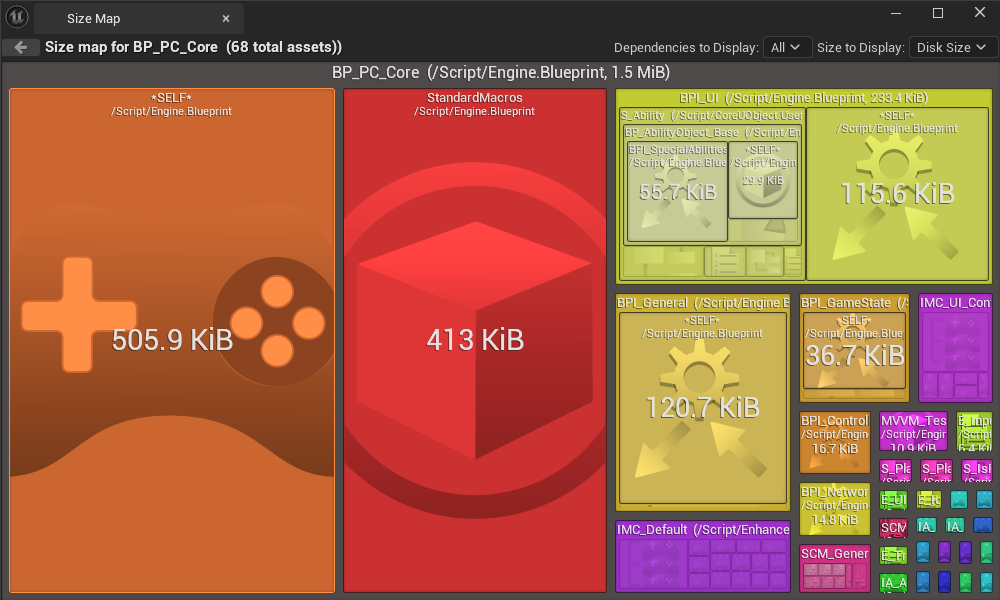
What Size Maps Show
A Size Map provides a visual representation of a class and the other classes it directly references. Those references cascade through parent and child dependencies, making it possible to trace the source of slow load times and unexpectedly large memory usage.
The Hard Reference Problem
It is easy to cast directly to the main character to call an event, or cast to the Game Mode to call an event such as Player Scored. The challenge is finding ways for classes to communicate without creating unnecessary hard references between specific implementations.
Investigating The Spike
At one point, almost every Size Map in the project was above 300 MB on disk. The source was difficult to locate until I traced the reference chains back to several interface events that referenced concrete classes directly instead of using a broader decoupled reference, such as Actor rather than BP_MyCharacter.
Result
This pattern was repeated in several areas of the project. Removing hard references where they were unnecessary significantly reduced the Size Maps, in some cases bringing them down from megabytes to only a few kilobytes.
UI Modularity
Reusable UI Components
FRAWL's UI was designed around modular components so screens and layouts could be iterated quickly. Common elements included sliders, cyclic toggle buttons, generic buttons, and screen-size guides.
Designer-Friendly Controls
Each element followed a consistent structure and styling approach. Designer-facing variables were exposed for properties such as size, justification, padding, input actions, and material styles.
This meant the primary content and presentation of each element could be adjusted in the editor without rebuilding the underlying widget logic.
Material Instance Workflow
Material Instances controlled visual properties such as bevels, colours, and strokes. This separated presentation choices from the widget implementation and made it easier to create consistent visual variations across the interface.
State-Driven Materials
I implemented material functions that isolated UI states such as hovered, focused, and disabled. These states were exposed through Material Instances, allowing widget animations to target material parameters directly instead of requiring complicated work inside the UMG editor.
Shader-Based Construction
Almost every FRAWL UI element, aside from literal icons, was built with shader-graph materials. This gave the interface a consistent visual language and provided greater control over animated states and styling.
Result
The modular approach made it easier to create new screens, iterate on layouts, and maintain a consistent interface while giving designers control over the visual details.
Settings
Building On The UI System
Implementing settings in FRAWL was relatively short because the modular widget system already provided reusable presets. The settings controls could use the same components and visual rules as the rest of the interface.
Option Indexes
I added option indexes to the settings elements so designers could define their choices as an array in the editor and specify both a default index and the currently active index.
Applying Settings
When a setting was changed, it's inherited event delegate passed the option index through an interface to the Game Instance. The Game Instance then handled applying the corresponding gameplay setting without the widget needing to know how that setting was implemented.
Supporting Different Value Types
The system followed the way Unreal Engine commonly represents user settings. Values such as fullscreen mode can use an integer directly, while other settings can use the same index system to drive selectors and preset choices.
Result
This was my first settings implementation, and the result was a clean, modular solution that could be extracted and transferred directly into a new project.